Overview
Determining every layer of available insurance coverage is critical in personal injury litigation. Lextiff's Insurance module lets you track third-party defendant liability policies, excess/umbrella coverage, and first-party client auto policies (UM/UIM, MedPay, and PIP) on a single case—complete with policy limits status, adjuster contact details, and mailing addresses for written policy limits demands.
Step 1: Add the Defendant's Third-Party Liability Policy
- Open your case workspace and select Detail under the CASE menu on the left sidebar.
- Locate the Insurance panel and click + Add.
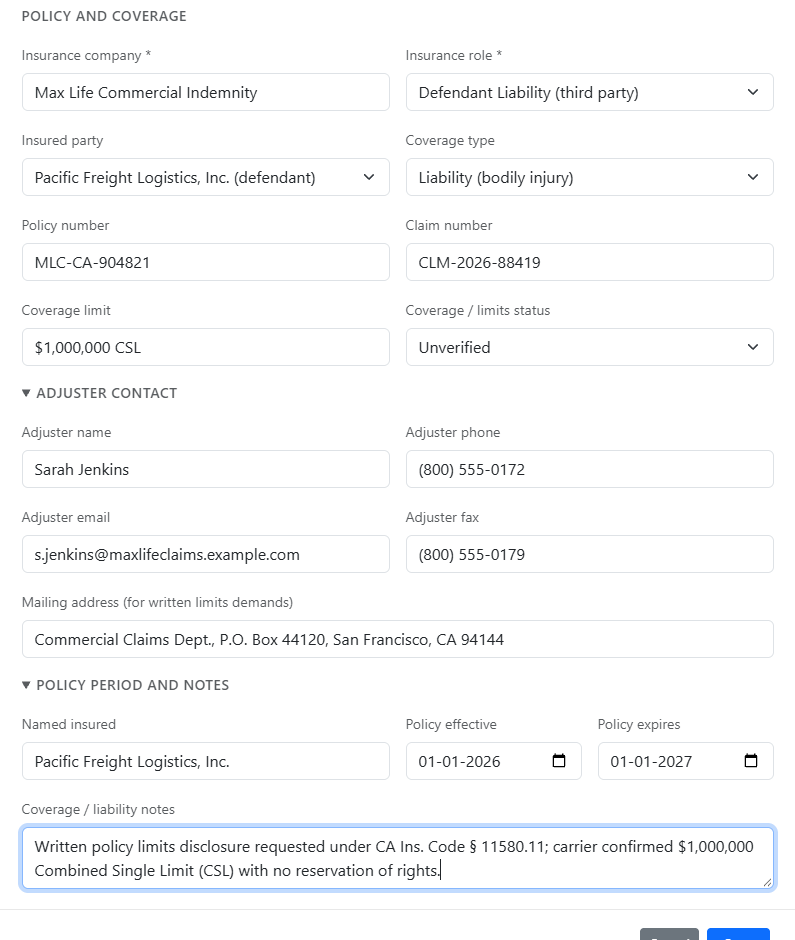
- Enter the Insurance company (e.g., Max Life Commercial Indemnity) and set Insurance role to Defendant Liability (third party).
- Link the Insured party directly from your case defendants list (Pacific Freight Logistics, Inc.) and select the Coverage type (Liability (bodily injury)).
- Enter the Policy number, Claim number, Coverage limit (e.g.,
$1,000,000 CSL), and set Coverage / limits status (Unverified or Verified).
Step 2: Record Adjuster Contacts, Demand Addresses & Policy Dates
- Under Adjuster Contact, enter the assigned claims adjuster's name, direct phone, email, and fax number.
- Complete the Mailing address (for written limits demands) field so your team has the exact statutory demand address ready when generating policy-limit demand packages.
- Under Policy Period and Notes, enter the Named insured, Policy effective and Policy expires dates, and any statutory disclosure or reservation-of-rights notes (e.g., CA Ins. Code § 11580.11 disclosure tracking), then click Save.
Step 3: Add First-Party Client Auto Coverage (UM/UIM & MedPay)
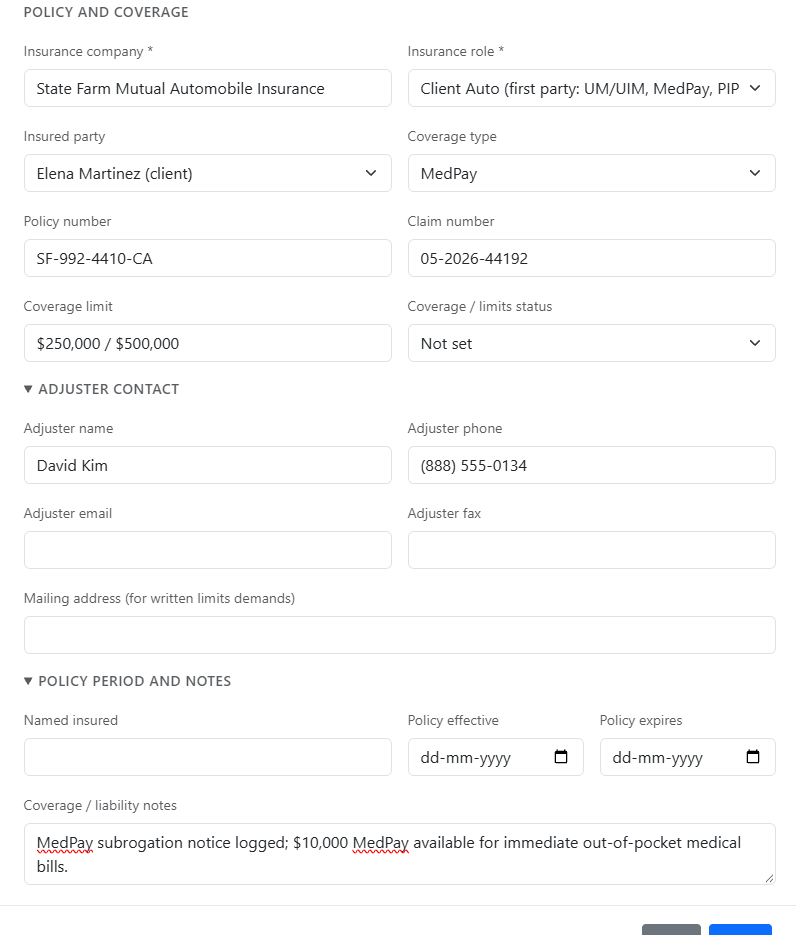
- Click + Add on the Insurance card again to log your client's own auto policy (e.g., State Farm Mutual Automobile Insurance).
- Set Insurance role to Client Auto (first party: UM/UIM, MedPay, PIP) and link your client (Elena Martinez) as the Insured party.
- Select the Coverage type (MedPay or UM/UIM), enter the policy/claim numbers and limits, and note any MedPay subrogation or reimbursement terms before clicking Save.