Overview
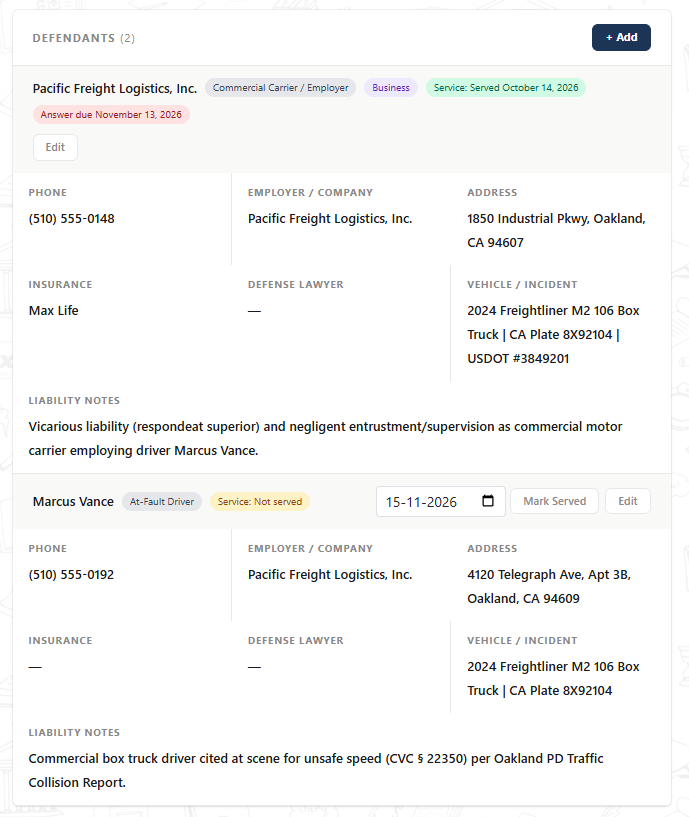
Commercial motor vehicle and multi-party personal injury cases frequently involve both an at-fault individual and a corporate employer or carrier. Lextiff's Defendants module lets you track multiple liable parties on a single file, record service of process dates, automatically calculate state-specific responsive pleading deadlines, and log vehicle, USDOT, and defense counsel details.
Step 1: Add a Business or Commercial Entity Defendant
- Open your active case workspace and select Detail under the CASE menu on the left sidebar.
- Locate the Defendants panel and click + Add.
- Under Party and Contact, set Defendant type to Business / commercial entity and enter the corporate name (e.g., Pacific Freight Logistics, Inc.).
- Specify the party's legal Role (Commercial Carrier / Employer), phone number, claims email, service/mailing address, and Registered agent for service.
Step 2: Configure Service Status & Automatic Answer Deadlines
- Expand the Service and Answer Deadline section.
- Select the current Service status (such as Not served or Served) and enter the Date served (e.g.,
14-10-2026). - Leave Override answer due date blank to let Lextiff automatically compute the statutory responsive pleading deadline—for example, 30 days after service of the summons under California Code of Civil Procedure, automatically rolled forward to the next court day.
Step 3: Record Insurance, Vehicle & Vicarious Liability Notes
- Expand Insurance, Counsel and Liability and enter the defendant's Insurance carrier and assigned Defense lawyer (once an appearance is entered).
- In Vehicle / incident details, record commercial identifiers such as truck make/model, license plate, and USDOT number (e.g., 2024 Freightliner M2 106 Box Truck | CA Plate 8X92104 | USDOT #3849201).
- Use Liability and citation notes to document legal theories such as vicarious liability (respondeat superior) or negligent entrustment, then click Save.
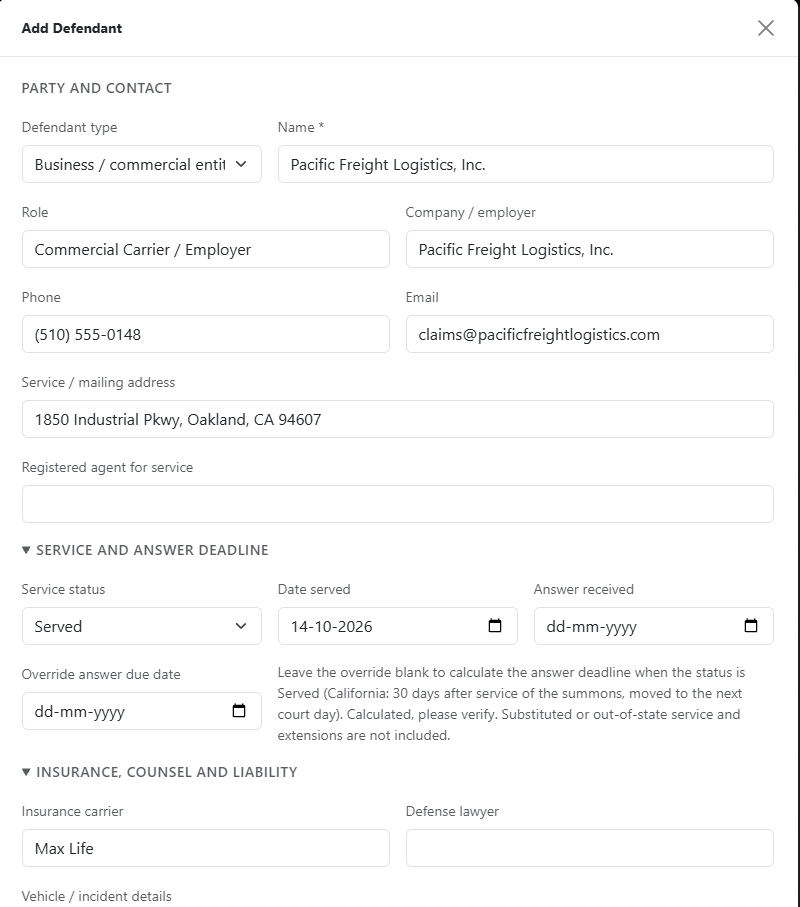
Configure corporate defendants, service dates for automatic answer deadline calculation, and commercial vehicle identifiers.
Step 4: Add Individual Co-Defendants & Track Pending Service
- Click + Add on the Defendants panel again to add the individual driver (Marcus Vance) with Defendant type set to Individual and Role set to At-Fault Driver.
- Document traffic citations (e.g., CVC § 22350) in Liability and citation notes and save.
- For defendants still awaiting service, Lextiff displays a Service: Not served badge alongside a quick date picker and one-click Mark Served button directly on the defendant card so paralegals can log service the moment proof of service arrives.