Overview
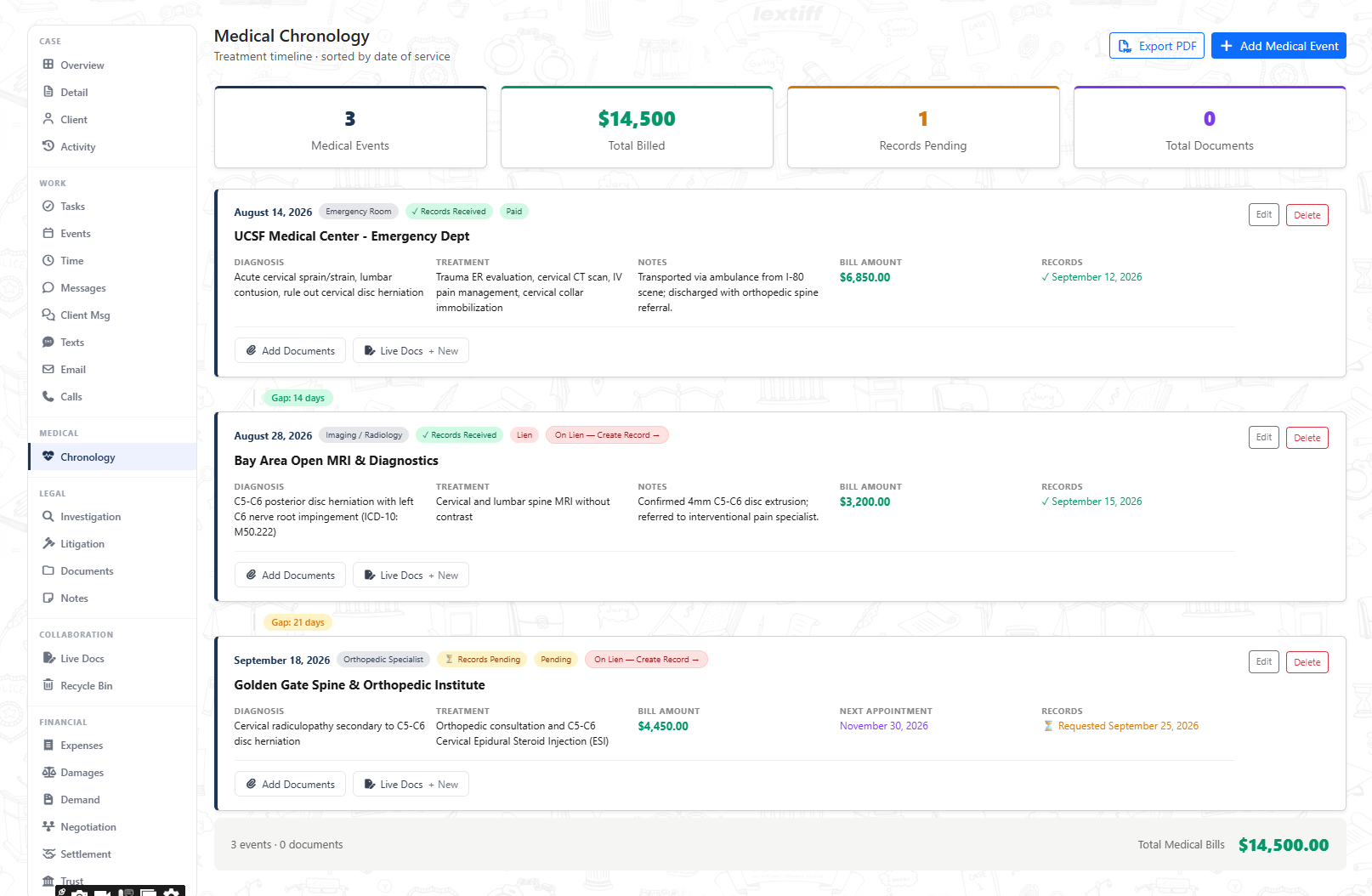
Insurance adjusters routinely scrutinize treatment gaps and unverified medical bills to discount personal injury settlement offers. Lextiff's Medical Chronology automatically sorts every hospital, imaging, and specialist visit by date of service, flags treatment gaps between visits, tracks pending medical record requests, links medical liens, and exports a clean chronology PDF ready for demand packages.
Step 1: Add Chronological Medical Events & Billing Details
- Open your case workspace and select Chronology under the MEDICAL section on the left sidebar.
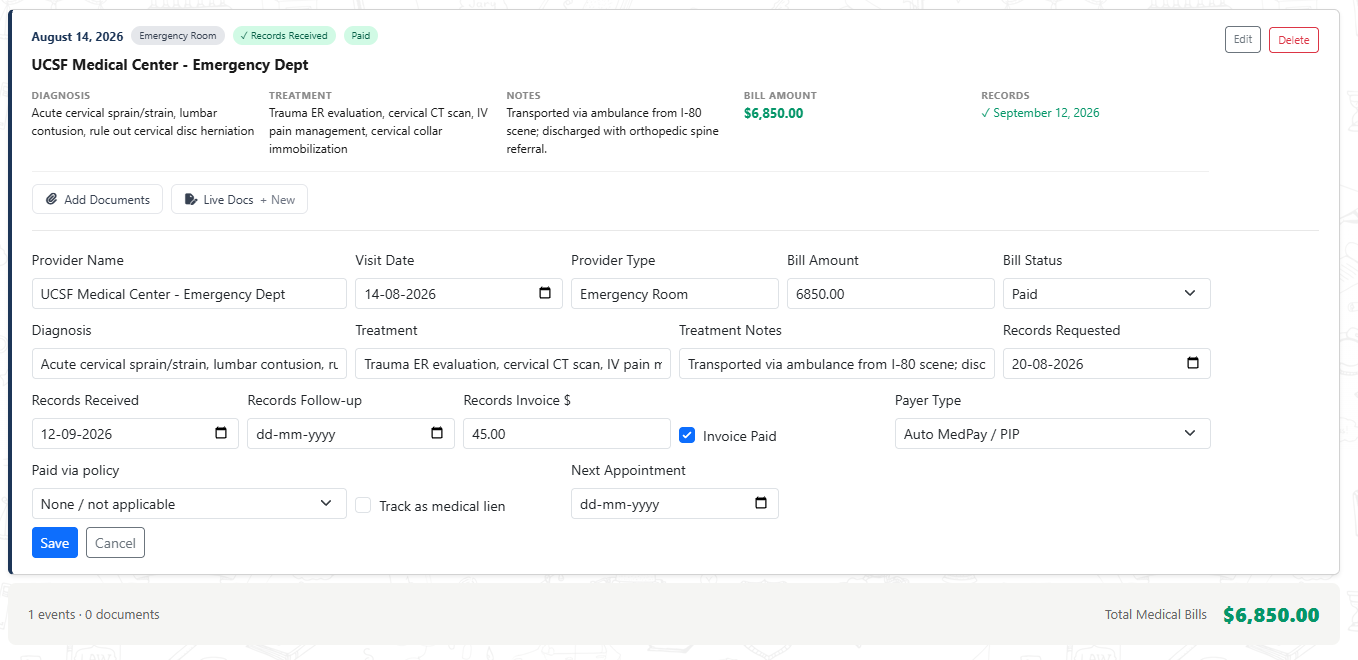
- Click + Add Medical Event and enter the Provider Name (e.g., UCSF Medical Center - Emergency Dept or Bay Area Open MRI & Diagnostics) and Provider Type (Emergency Room, Imaging / Radiology, or Orthopedic Specialist).
- Enter the Visit Date, Bill Amount, and Bill Status (Paid, Pending, or Lien).
- Document the clinical Diagnosis (including ICD-10 codes), Treatment performed, clinical notes, and any scheduled Next Appointment.
Step 2: Track Medical Record Requests, Invoices & Payer Types
- Record the Records Requested date, Records Received date (leave blank while awaiting records so Lextiff flags the event as Records Pending), and any Records Follow-up date.
- Log retrieval fees under Records Invoice $ and check Invoice Paid when settled.
- Select the Payer Type (such as Auto MedPay / PIP or health insurance), link the Paid via policy record from your Insurance tab, or check Track as medical lien to flag the balance for settlement disbursement.
- Click Add Medical Event (or Save when editing inline).
Step 3: Review Automatic Treatment Gaps, Liens & Export to PDF
- Real-Time KPI Summary: The top dashboard automatically totals Medical Events, Total Billed (
$14,500), Records Pending, and attached Total Documents. - Automatic Treatment Gap Badges: Lextiff calculates the exact number of days between consecutive visits (such as
Gap: 14 daysandGap: 21 days) so your team can address any care delays proactively. - Auto-Synced Medical Providers & Liens: Every provider added to the chronology automatically populates the Medical Providers card on your Detail screen, while lien-flagged visits display an On Lien — Create Record badge to link directly into your settlement ledger.
- One-Click PDF Export: Click Export PDF in the top-right corner to generate a formatted medical treatment timeline for demand letters or mediation briefs.