Overview
Opening a new matter in Lextiff connects your client profile, state jurisdiction rules, contingency fee structure, and statute of limitations countdown in one step. Instead of entering client data across separate intake sheets, calendars, and accounting tools, Lextiff generates a complete case workspace the moment you save.
In this guide, we will walk through creating a new motor vehicle accident file (Martinez v. Pacific Freight Logistics) from scratch and review what Lextiff automates behind the scenes.
Before You Begin
Have the following intake details ready before opening the case setup form:
- Case Name: Your firm's standardized matter title (for example, Martinez v. Pacific Freight Logistics).
- Client Name: Either an existing contact in your CRM or a new client's full name.
- State & Case Type: The governing jurisdiction (e.g., California) and injury category (e.g., Car Accident).
- Incident Date: The exact date of injury to trigger automatic statute of limitations calculation.
- Fee & Cost Terms: Your agreed contingency fee percentage and expense recovery rules.
Step 1: Enter Case Details & Create the Client Inline
- From your workspace sidebar, click Cases and select + New Case.
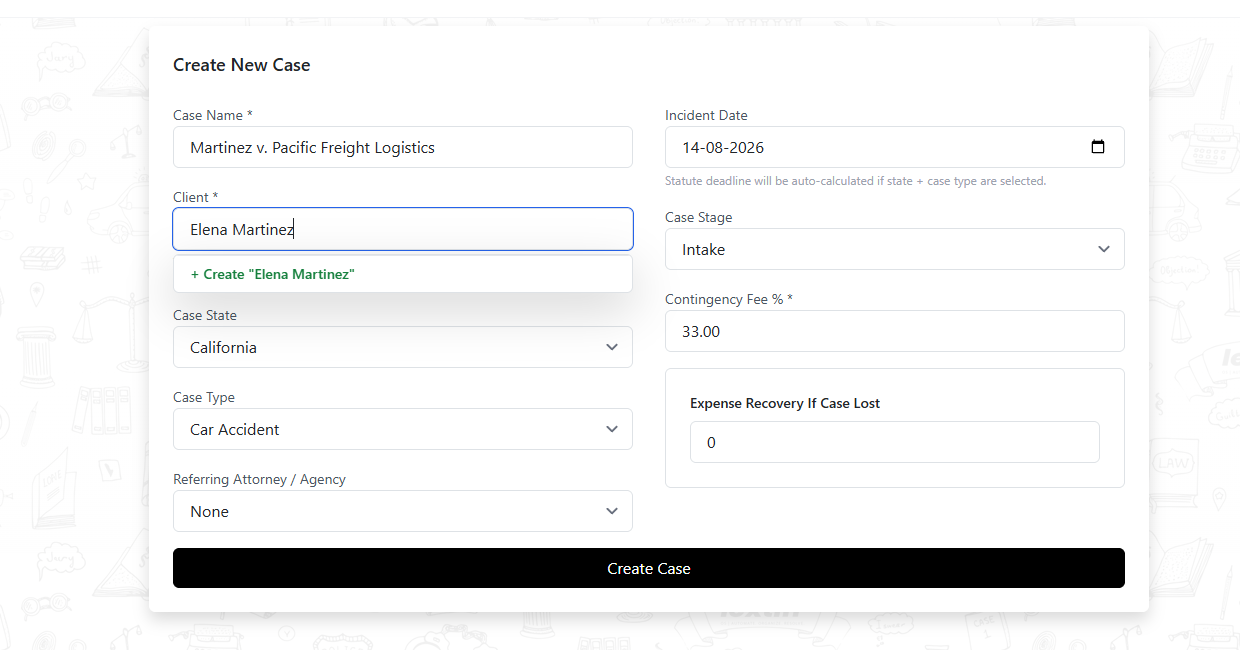
- Enter the Case Name (Martinez v. Pacific Freight Logistics).
- In the Client field, type the client's full name (Elena Martinez). If the client does not exist in your database yet, click + Create "Elena Martinez"—Lextiff displays a New client will be created confirmation and automatically builds their CRM profile upon saving.
- Select the Case State (California) and Case Type (Car Accident).
- If the matter came from co-counsel or a marketing partner, select them under Referring Attorney / Agency (or leave as None for direct intake).
Step 2: Set the Incident Date & Contingency Fee Structure
- Enter the Incident Date (
14-08-2026). Because Case State and Case Type are selected, Lextiff prepares the state-specific statutory filing deadline automatically. - Choose the initial Case Stage (such as Intake or Pre-Litigation).
- Verify the Contingency Fee % (defaults to
33.00) and set Expense Recovery If Case Lost (0for standard plaintiff contingency agreements where the firm absorbs costs if there is no recovery).
Step 3: Save & Review Your Automated Case Overview
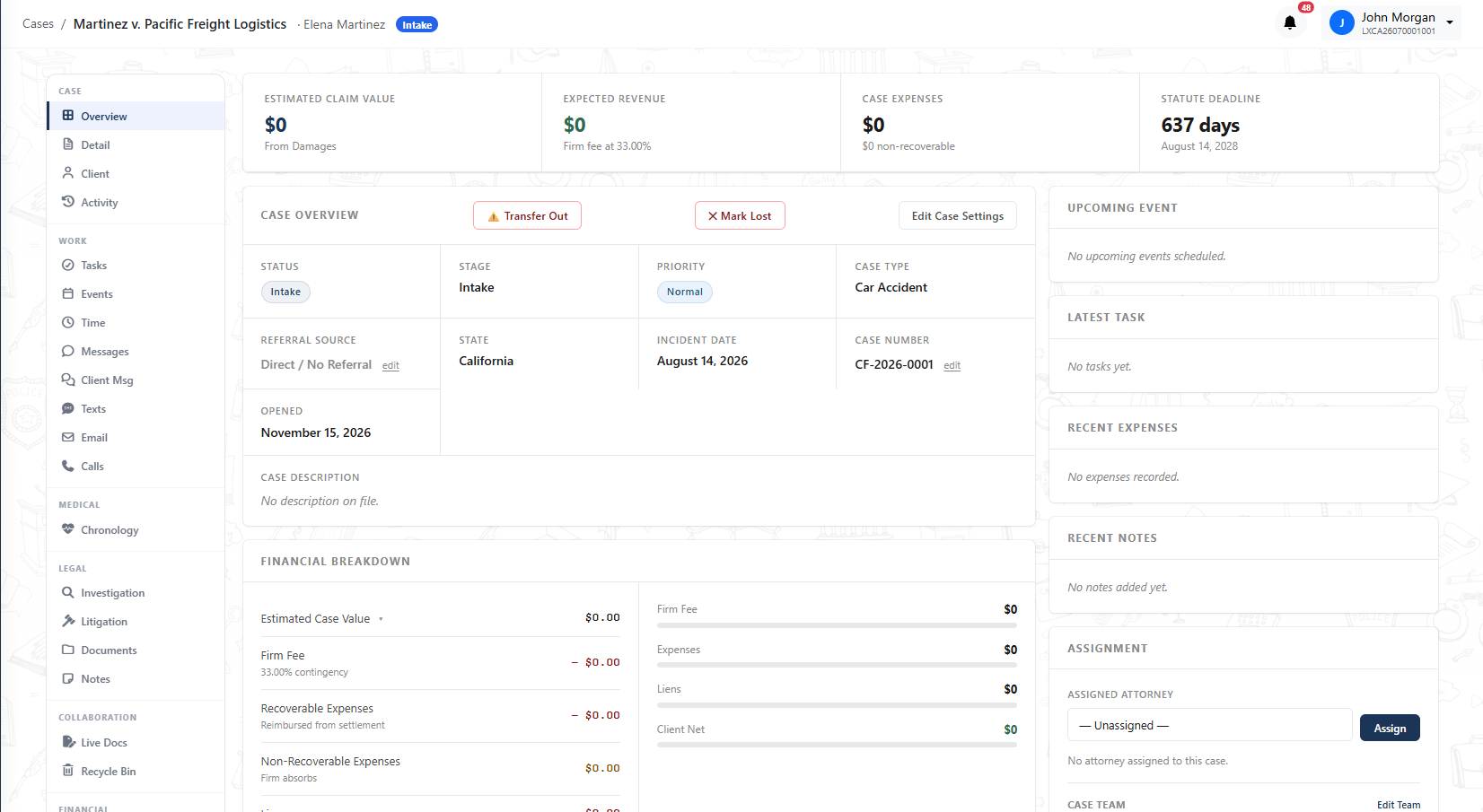
Click Create Case. Lextiff immediately generates your live matter workspace (assigned automatic Case Number CF-2026-0001) with four real-time KPI cards at the top:
- Estimated Claim Value & Expected Revenue: Automatically linked to your
33.00%contingency fee and damages ledger. - Case Expenses: Tracks recoverable vs. non-recoverable litigation costs in real time.
- Statute Deadline Countdown: Calculates the exact California 2-year personal injury filing deadline (
August 14, 2028) and displays a live countdown (637 days) so critical deadlines are never missed.
Next Steps
Now that your case workspace is active, you can complete Elena Martinez's contact profile, record accident liability details under Investigation, log medical treatment under Chronology, or send a retainer agreement for e-signature under Documents.