Overview
Unresolved provider liens and health insurance subrogation claims can delay client disbursement or create post-settlement compliance risks. Lextiff unifies lien management across your entire case—allowing you to convert lien-treated visits directly from your Medical Chronology, log standalone subrogation or statutory liens, calculate exact dollar and percentage savings during lien negotiations, and feed effective payoff totals automatically into your case's Financial Breakdown.
Step 1: Sync Provider Liens Directly from Medical Chronology
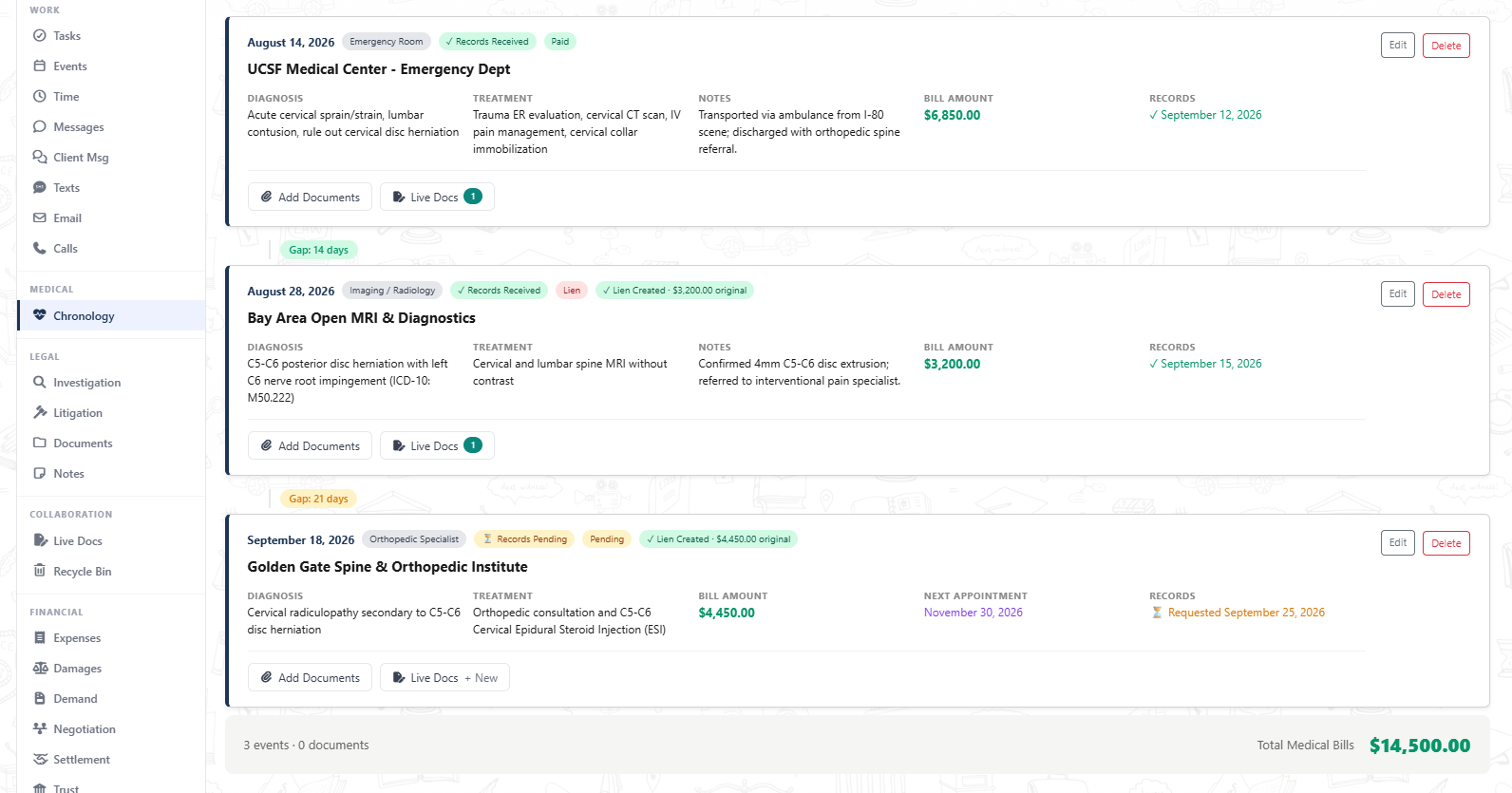
- Open your case workspace and navigate to Chronology under the MEDICAL section on the left sidebar.
- Any medical visit flagged with Track as medical lien displays an inline action badge to generate a formal lien record with the provider name, billed amount, and date of service pre-filled.
- Once created, Lextiff updates the chronology visit with a green confirmation pill (such as ✓ Lien Created · $3,200.00 original for Bay Area Open MRI & Diagnostics and ✓ Lien Created · $4,450.00 original for Golden Gate Spine & Orthopedic Institute) so your team knows the balance is locked into the financial ledger.
Step 2: Add Standalone Subrogation Liens & Track Negotiated Reductions
- Navigate to Detail under the CASE menu and scroll to the Liens panel.
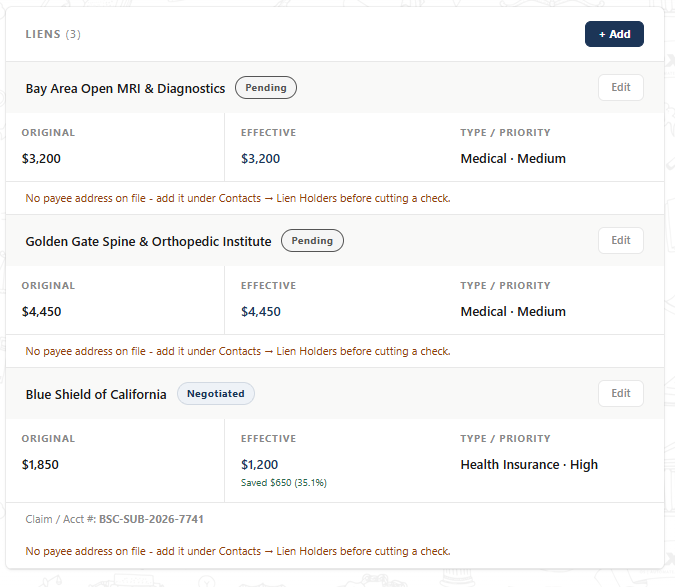
- Click + Add to log non-chronology liens such as health insurance subrogation, ERISA plans, Medicare/Medicaid conditional payments, or Workers' Compensation liens (for example, Blue Shield of California).
- Enter the Lien Holder, Original Amount (
$1,850.00), Type (Health Insurance), Priority (High), and the carrier's Claim / Account # (BSC-SUB-2026-7741)—which Lextiff automatically prints on settlement payoff check memos. - When your team negotiates a balance reduction, enter the reduced payoff figure in Negotiated Amount (
$1,200.00) and change Status to Negotiated, then click Save. - Lextiff automatically displays the reduced Effective payoff alongside the exact dollar and percentage savings (
Saved $650 (35.1%)) and flags any missing payee mailing addresses under Contacts → Lien Holders before a trust check is issued.
Step 3: Review Live Lien Deductions in the Financial Breakdown
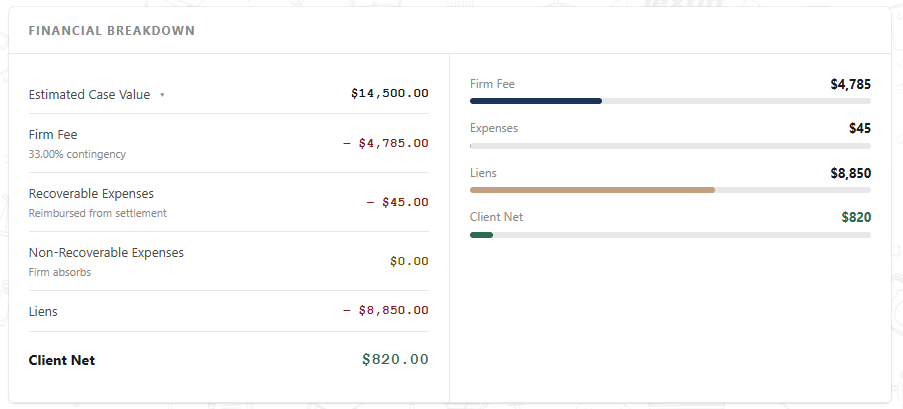
Every active lien's Effective balance ($3,200 + $4,450 + $1,200 = $8,850.00) feeds immediately into the Financial Breakdown card on your Overview dashboard—updating total Liens alongside your Firm Fee, Recoverable Expenses, and projected Client Net recovery in real time.