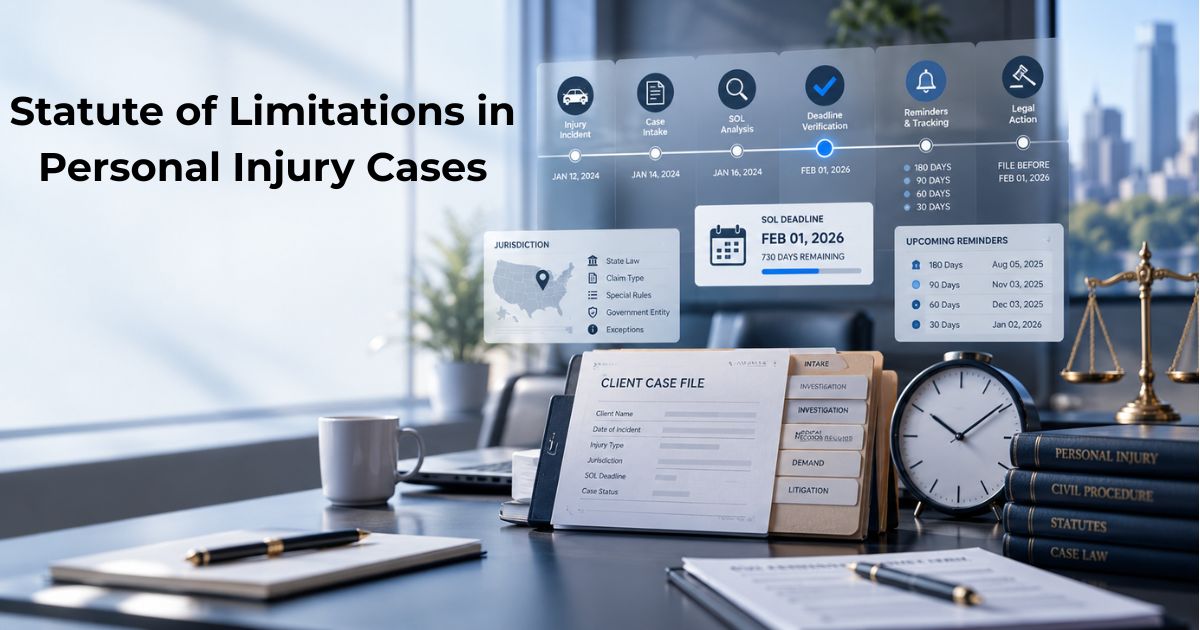
Statute of Limitations in Personal Injury Cases: What Law Firms Need to Know
For a personal injury law firm, few case-management responsibilities are more important than tracking deadlines. A case may have strong liability evidence, significant damages, and a viable claim, but missing an applicable filing deadline can seriously affect the client's ability to pursue the matter in court.
A statute of limitations establishes a legal time limit for filing a lawsuit. The specific deadline depends on the jurisdiction, type of claim, and circumstances of the case. Across the United States, these rules are not uniform, which makes accurate deadline identification an essential part of personal injury case management.
What Is a Statute of Limitations?
A statute of limitations is a law that establishes the period within which a lawsuit generally must be filed.
For personal injury claims, the applicable period can vary considerably between states. Current state-by-state references show that ordinary personal injury deadlines range from one state to another, with different periods applying to different types of claims.
For a law firm, this means that simply recording the accident date is not enough. The team needs to determine which statute applies and how the deadline should be calculated for that particular case.
When Does the SOL Clock Start?
In many personal injury cases, the limitations period begins when the injury occurs. For example, the accident date may serve as the starting point for a typical automobile accident claim.
However, the starting point is not necessarily identical for every claim. Some jurisdictions recognize a discovery rule, under which the limitations period may begin when the injury was discovered, or when it reasonably should have been discovered.
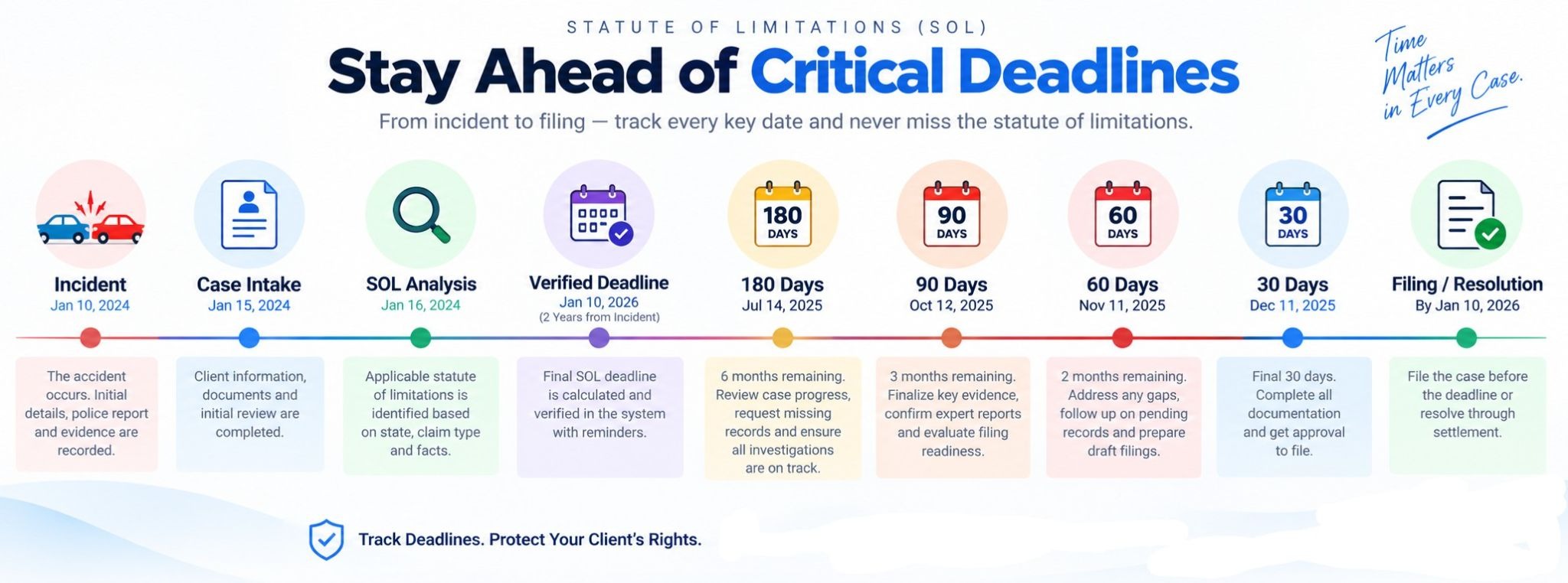
This distinction can become important in cases involving injuries or causes that are not immediately apparent.
The legal team should therefore document both the relevant incident date and the reasoning behind the limitations date being used.
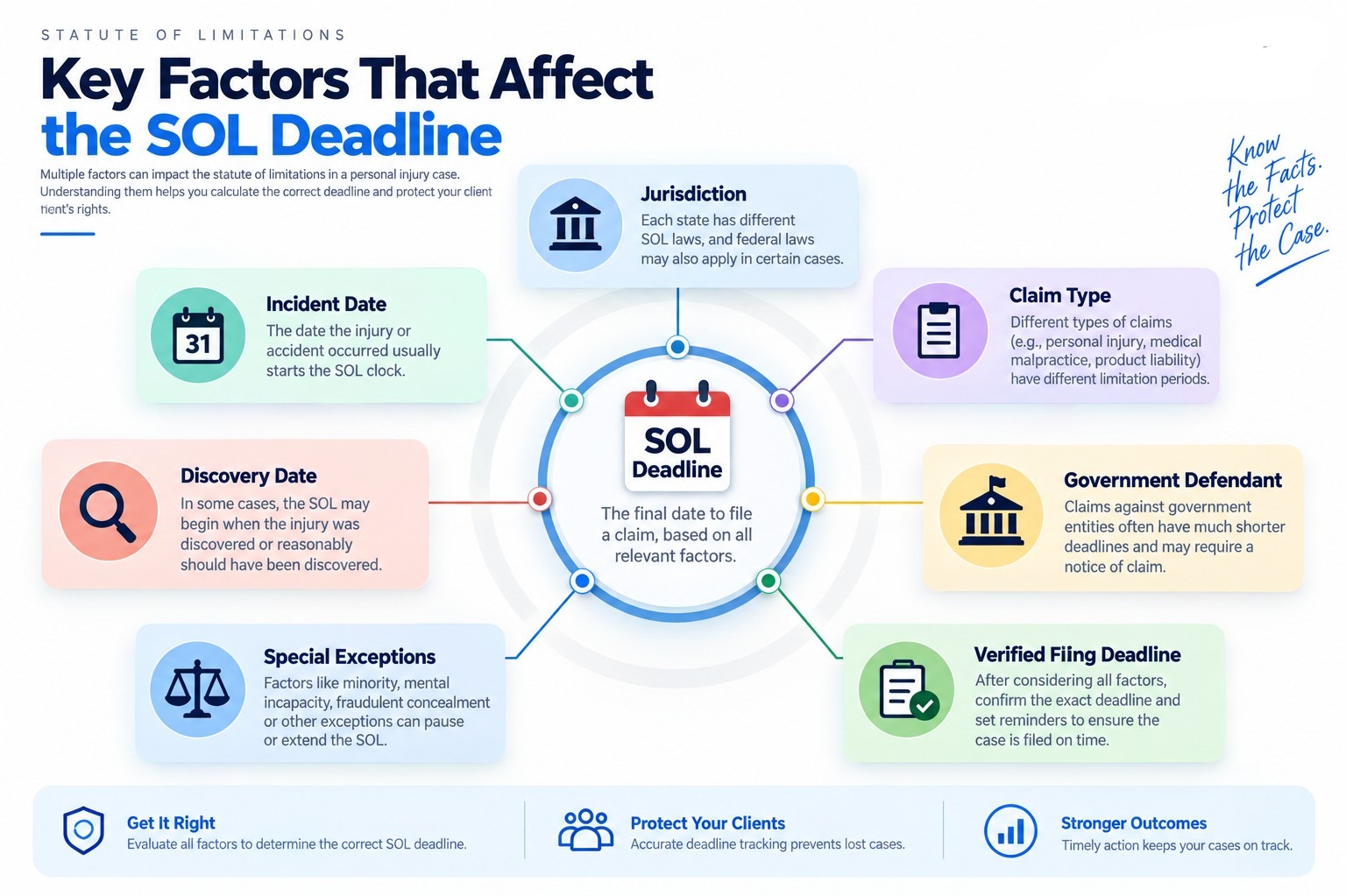
Why the Deadline Depends on the Type of Case
Personal injury is a broad category, and different claims can have different deadlines.
Separate rules may apply to areas such as:
Medical malpractice
Product liability
Wrongful death
Motor vehicle accidents
Claims involving government entities
Government-related claims can be particularly important because some jurisdictions impose an earlier notice requirement before a lawsuit can proceed.
A case-management process should therefore identify the claim type early instead of applying a generic deadline to every matter.
Discovery Rules and Other Exceptions
The standard limitations period is not always the end of the analysis.
Depending on the applicable law, circumstances involving delayed discovery, minors, incapacitated persons, or other legally recognized situations may affect how the deadline operates. The specific rules vary by jurisdiction and claim type.
This is why firms should treat an automatically calculated date as a case-management aid, not a substitute for legal analysis.
The attorney responsible for the matter should verify the applicable statute, triggering event, exceptions, and filing requirements.
SOL Tracking Should Begin During Intake
Statute-of-limitations management should not be postponed until a case becomes litigation-ready.
During intake, the firm should capture information that may affect deadline analysis, including:
Date of incident
Date injury was discovered, where relevant
Type of claim
Jurisdiction
Potential defendants
Government involvement
Relevant medical or treatment history
Important dates already identified
Assigned attorney or case owner
This information gives the legal team a starting point for determining the applicable deadline.
Create Multiple Levels of Deadline Visibility
Recording one final SOL date is useful, but it may not provide enough operational visibility.
A firm can create internal reminders at progressively closer intervals, such as 180, 90, 60, 30, 14, 7, and 1 day before a critical deadline.
These reminders do not change the legal deadline. They create operational checkpoints that give the team opportunities to review the case, confirm the deadline, and take appropriate action.
For a busy plaintiff firm, this distinction matters. The objective is to identify approaching deadlines early rather than discovering them when there is little time remaining.
Assign Responsibility for Every Critical Deadline
A deadline without an owner can become a team-wide assumption.
Each important deadline should have an identified responsible attorney, paralegal, or staff member. The firm can then establish tasks around the deadline, such as confirming documentation, reviewing liability, obtaining missing records, preparing filing materials, or escalating the matter to the supervising attorney.
Clear ownership creates accountability and makes the status of the deadline easier to understand.
Keep the SOL Date Connected to the Case
Another challenge is keeping deadline information connected to the rest of the case.
The limitations date should exist alongside the client's information, accident details, documents, tasks, communications, and case status.
For example:
Client → Case → Incident Date → Claim Type → Jurisdiction → SOL Analysis → Verified Deadline → Reminder Schedule → Required Action
This creates a connected workflow rather than leaving a critical date inside an isolated spreadsheet or calendar.
What Happens When a Deadline Approaches?
An approaching SOL should trigger a defined internal workflow.
The team may need to:
Confirm the applicable jurisdiction.
Verify the claim type.
Review the triggering event.
Confirm the calculated deadline.
Check for applicable exceptions or special rules.
Review the case status.
Identify outstanding evidence or documentation.
Escalate the matter to the responsible attorney.
Record the decision and next action.
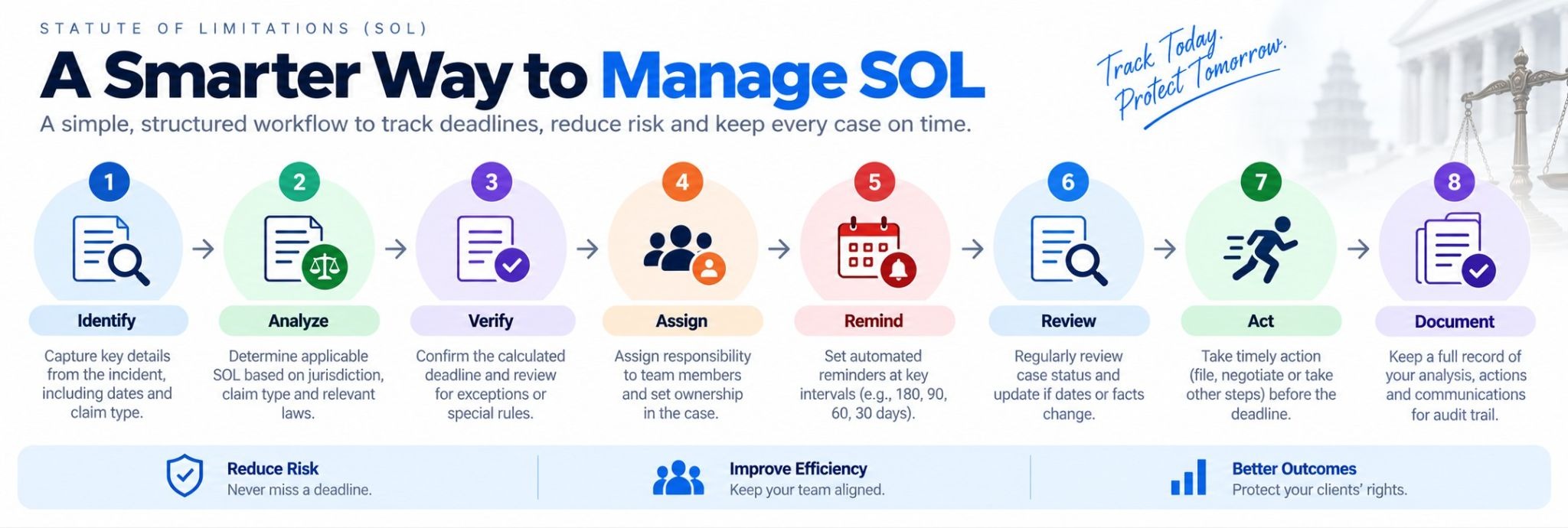 The exact legal response depends on the circumstances and applicable law. The important case-management principle is that the approaching deadline should create visibility and action.
Technology Can Help With SOL Management
Legal case-management software can help firms organize deadline information and automate internal reminders.
Useful capabilities may include:
SOL date fields
Automated reminder schedules
Task assignment
Deadline dashboards
Case-stage tracking
Calendar integration
Attorney and staff notifications
Audit trails
Deadline reporting
Automation can reduce repetitive administrative work, but it should support rather than replace attorney review. Because statutes of limitations are jurisdiction-specific and exceptions can apply, the underlying legal determination still requires appropriate professional judgment.
Final Thoughts
Statute-of-limitations managementis both a legal and operational responsibility for personal injury firms.
The challenge is not simply calculating a date. Firms need a repeatable process for identifying the applicable rule, documenting the reasoning, verifying the deadline, assigning responsibility, monitoring approaching dates, and escalating matters when action is required.
When SOL tracking is integrated into the broader case workflow, a critical deadline becomes visible throughout the life of the case rather than remaining buried in notes, spreadsheets, or individual calendars.
For plaintiff law firms managing a large caseload, that visibility can provide a more structured way to manage one of the most important time-sensitive elements of personal injury practice.