
As a firm grows, managing these dates across dozens or hundreds of cases becomes an operational challenge. A reliable process needs more than one date in one calendar. It needs clear ownership, verification, reminders, escalation, and ongoing review.
1. Capture Critical Dates During Intake
SOL tracking should begin when a potential personal injury matter enters the firm.
During intake, the team should capture information that may be relevant to the deadline analysis, including:
Date of the incident
Date the injury was discovered, where applicable
Type of claim
Jurisdiction
Potential defendants
Government involvement
Relevant treatment dates
Client circumstances that may affect the deadline
Attorney assigned to the matter
The objective is to create a reliable factual starting point for the attorney responsible for determining the applicable limitations period.
2. Identify the Applicable Rule
The firm should not assume that every personal injury case follows the same deadline.
Limitations periods vary across jurisdictions and can differ depending on the type of claim. Government claims can also involve separate notice requirements, while certain cases may involve discovery rules or tolling provisions.
This means the case record should contain more than a field labeled "SOL Date."
It should also preserve the information used to establish that date, such as:
Jurisdiction → Claim Type → Triggering Event → Applicable Rule → Exceptions → Verified Deadline
This creates an auditable trail around the deadline instead of treating it as an unexplained number.
3. Separate Calculation From Verification
Technology can help calculate and organize deadlines, but the calculated date should not automatically be treated as the final legal determination.
A case-management system may use the incident date, jurisdiction, and claim type to generate a preliminary deadline or reminder schedule. The responsible attorney should then verify the applicable law and any relevant exceptions.
This distinction is important because limitations rules can be fact-specific. California Courts, for example, notes that statutes of limitations can be complicated to calculate and that different rules may apply depending on the circumstances.
The system manages the workflow. The legal professional verifies the legal conclusion.
4. Create a Reminder Ladder
A single reminder on the final deadline is not enough for a busy plaintiff practice.
Instead, firms can create a series of internal checkpoints well before the deadline.
For example:
180 Days → 90 Days → 60 Days → 30 Days → 14 Days → 7 Days → 1 Day
These intervals are operational examples, not legal requirements. Each firm can establish its own escalation schedule based on its workflow.
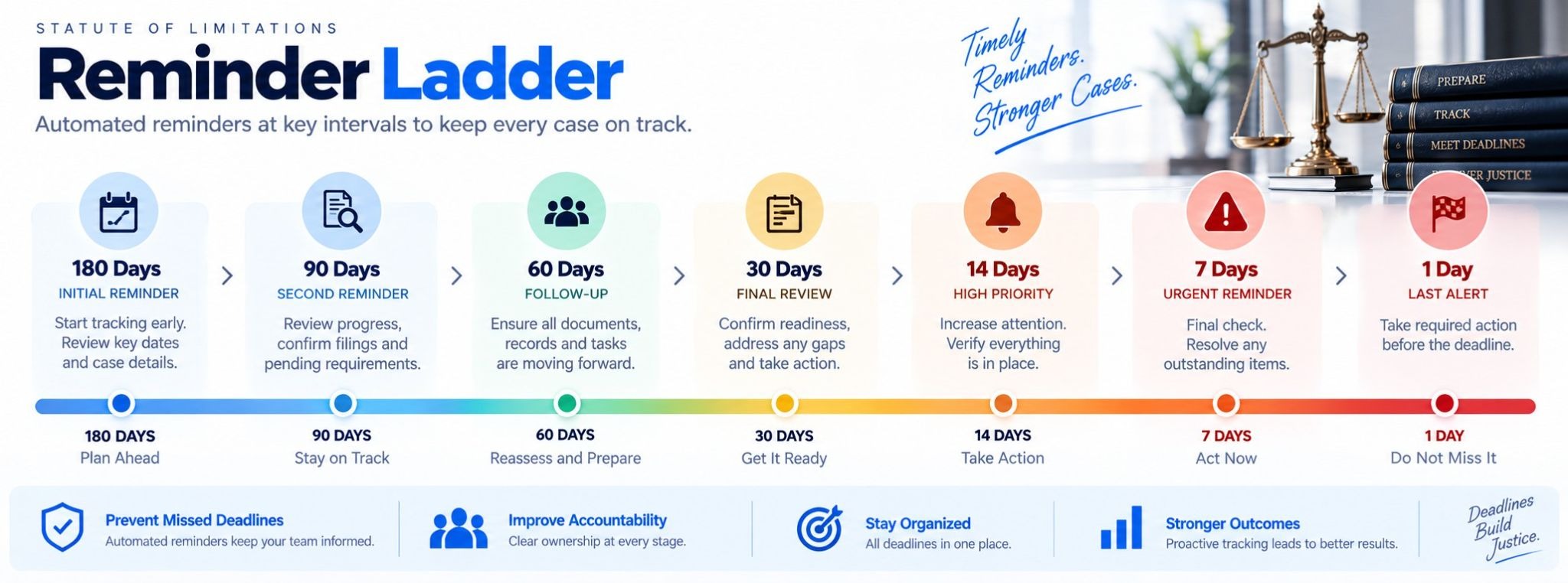
The purpose is to give the team multiple opportunities to review the matter, confirm the deadline, identify missing work, and escalate the case if necessary.
5. Assign an Owner
Every critical deadline should have a clearly identified owner.
That may be the responsible attorney, supervising attorney, paralegal, or another designated member of the legal team.
The case-management record should make it possible to answer:
What is the deadline?
Who verified it?
Who owns the next action?
What needs to happen before the deadline?
Has the responsible person acknowledged it?
This is especially important when cases move between intake staff, paralegals, attorneys, and litigation teams.
6. Use Escalation Instead of Passive Reminders
A reminder tells someone that a date is approaching. An escalation workflow creates a response when the required action has not occurred.
For example:
90 Days: Assigned attorney receives notification
60 Days: Responsible team receives follow-up task
30 Days: Matter appears on deadline review dashboard
14 Days: Supervising attorney receives escalation
7 Days: High-priority action alert
1 Day: Final internal review
The exact structure should reflect the firm's policies and the circumstances of each case.
The important principle is that the system should make unresolved deadlines increasingly visible.
7. Keep SOL Tracking Connected to the Case
One of the biggest weaknesses of spreadsheet-based deadline tracking is that the deadline can become separated from the rest of the case.
A connected case-management workflow can associate the SOL with:
Client information
Accident details
Case stage
Documents
Tasks
Attorney assignment
Communications
Litigation status
Filing activity
This allows the team to understand the deadline in the context of the actual case.
For example, if a case is approaching its SOL while medical records remain outstanding or liability investigation is incomplete, the legal team can see those issues together rather than discovering them separately.
8. Monitor the Entire Caseload
Individual case reminders are useful, but firms also need a portfolio-level view.
A deadline dashboard can show matters grouped by urgency:
Critical → 0-30 Days
High → 31-60 Days
Upcoming → 61-90 Days
Future → 90+ Days
The dashboard can help supervisors identify concentration risk, workload issues, unassigned tasks, and cases requiring immediate review.
This becomes increasingly important as the number of active matters grows.
9. Review Deadlines Regularly
Automated reminders should not eliminate human review.
A recurring SOL review can help the firm identify:
Unverified deadlines
Missing triggering dates
Unassigned matters
Approaching deadlines
Incomplete tasks
Cases requiring attorney review
Changes in case circumstances
Current legal-practice guidance similarly emphasizes redundancy, advance reminders, and regular review rather than relying on a single calendar entry.
10. Maintain an Audit Trail
For a critical deadline, the firm should be able to understand how the date was established and what happened afterward.
A useful audit trail may record:
Original incident date
Date the deadline was entered
User who entered it
Applicable jurisdiction
Claim type
Attorney verification
Changes to the deadline
Reminder history
Completed tasks
Escalations
Relevant notes
This provides visibility when a matter is transferred between team members or reviewed months later.
Build a Repeatable SOL Workflow
A reliable SOL process can be summarized as:
Capture → Analyze → Calculate → Verify → Assign → Remind → Escalate → Review → Document
Each step serves a different purpose.
Capture establishes the facts. Analysis identifies the relevant rule. Calculation creates the working date. Verification confirms the legal basis. Assignment establishes responsibility. Reminders and escalation create operational safeguards. Review keeps the deadline visible. Documentation preserves the history.
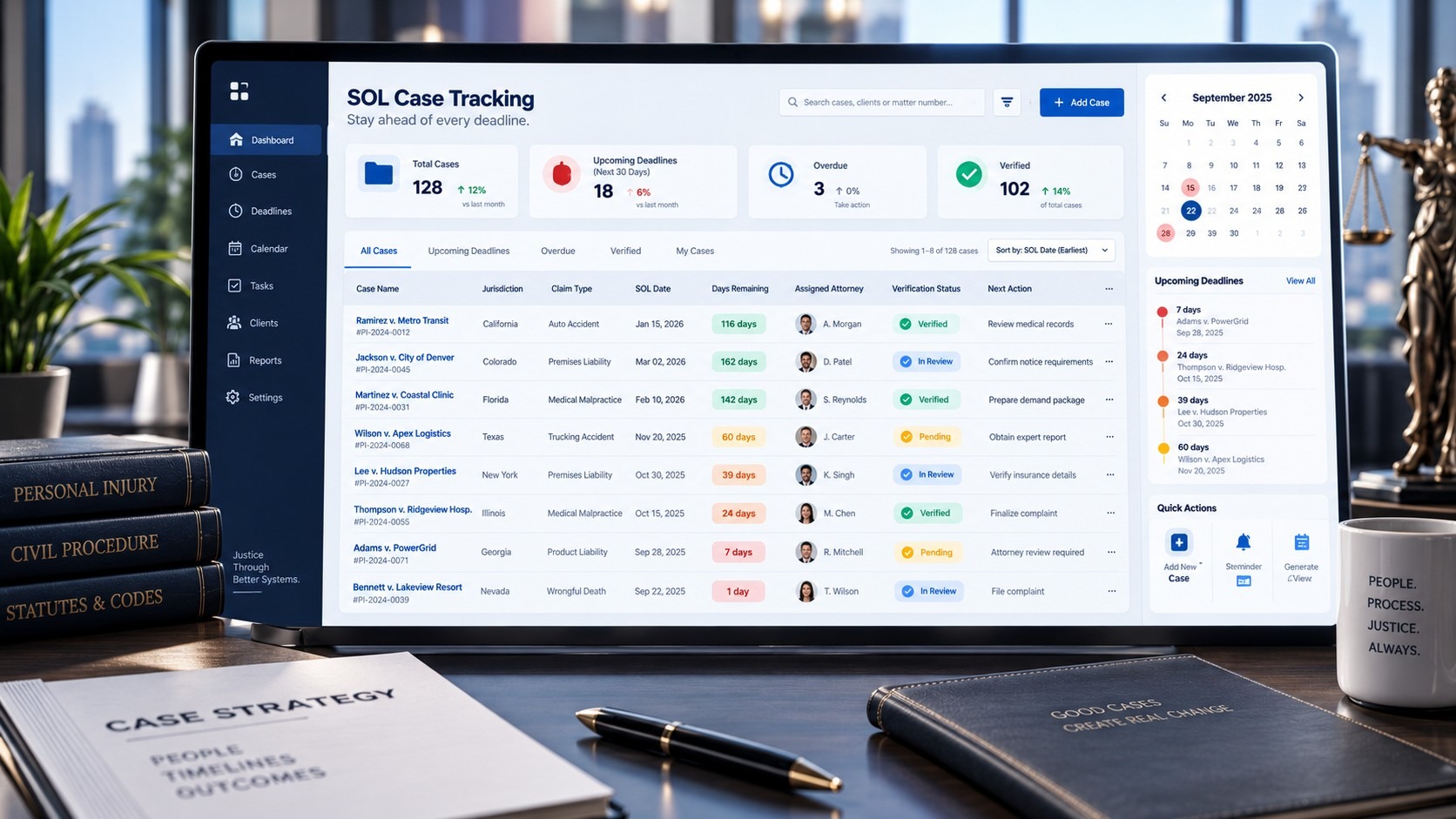
How Technology Supports SOL Management
Legal case-management software can bring these steps into one workflow.
Useful capabilities can include:
Centralized SOL records
Jurisdiction and claim-type fields
Deadline calculations
Custom reminder schedules
Automated notifications
Task assignments
Escalation workflows
Deadline dashboards
Calendar integration
Audit trails
Case-stage visibility
Reporting
The goal is not to automate legal judgment. The goal is to automate the administrative work surrounding a verified legal deadline and make critical information visible to the people responsible for the case.
Final Thoughts
Tracking statutes of limitations across a personal injury caseload requires a system that is structured, visible, and repeatable.
A single calendar entry can tell a firm when a deadline occurs. A properly designed case-management workflow can also show why the date exists, who verified it, who owns the next action, how close the deadline is, and whether the required work has been completed.
For growing plaintiff law firms, that distinction matters.
Effective SOL management combines attorney verification with operational safeguards such as centralized records, advance reminders, assigned ownership, escalation, regular reviews, and audit trails. When these elements work together, deadline management becomes an integrated part of the case workflow rather than a task dependent on individual memory.